 subtimetable
Trial
For a first try
30 days free
- 1 building
- 10 rooms
- 15 teachers
- 5 classes
- 20 subjects
- 5 users
- Generate 3 times a day, 5 min per run
You enter teachers, the curriculum, rooms and rules in the browser. subtimetable then searches for up to 60 minutes and shows how many gaps each teacher has in the result. Once you publish the timetable, the app also uses it to pick substitute teachers.
Change the level of a rule and watch how one teacher’s week rearranges.
Illustration with an invented week
| Period | Mon | Tue | Wed | Thu | Fri |
|---|---|---|---|---|---|
| 1. | unavailable | MAT4AMaths 4A | MAT1AMaths 1A | free | unavailable |
| 2. | MAT1AMaths 1A | MAT2BMaths 2B | gap | MAT1AMaths 1A | unavailable |
| 3. | gap | gap | MAT4AMaths 4A | MAT4AMaths 4A | unavailable |
| 4. | PHY3CPhysics 3C | PHY3CPhysics 3C | gap | PHY3CPhysics 3C | unavailable |
| 5. | MAT4AMaths 4A | MAT1AMaths 1A | MAT2BMaths 2B | MAT2BMaths 2B | unavailable |
| 6. | MAT2BMaths 2B | MAT1AMaths 1A, breaks a rule | free | free | unavailable |
The rule “Subject at most 1 period a day” is not fully met because its level is lower.
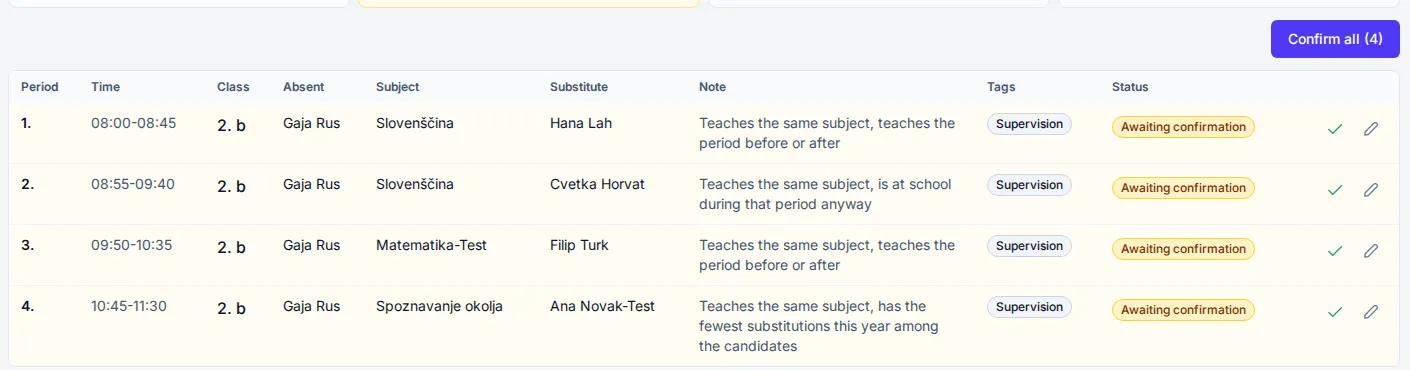
The absent teacher reports the absence and leaves instructions or a file for each period. The app then picks a free colleague from the timetable and prefers one who teaches the same subject, is on the list of compatible teachers or teaches that class. It also weighs how much cover each teacher has done this year. The chosen teacher gets an email with the period, the room and the instructions.
1. Today
I’m ill and won’t be in tomorrow. Students need supervision in periods 3 and 5. I have no instructions yet.
22:17
The deputy head phones one colleague after another until someone says yes.
2. With subtimetable
22:17
tomorrow, 15 Oct
Period 3, 2B
Exercises on page 42
Period 5, 1A
Exercises on page 42
instructions.pdf
Report absence
The absent teacher can add instructions and attachments until each period starts. There is no field for the reason, because the school does not keep it.
the app picks a free colleague from the timetable, preferably one who teaches the same subject and is already in school that period
3. The substitute
Notifications created after 22:00 go out the next morning at 5:30. The school sets both times.
Substitution 15 Oct, period 3, 2B
If you cannot take it, call the deputy head.
Thursday 15 October
Period 3, covering for Mark HughesRoom 14, 2BExercises on page 42
For the deputy head: A message comes only when no teacher is free for a period. For that period the app shows why each colleague was ruled out, for example because they are teaching or already covering another class.
For a first try
For a smaller timetable
subtimetable was developed together with a pilot secondary school in Slovenia. The rules for a lunch break during lessons and for the span of the school day were added to meet that school’s conditions.
subtimetable runs in the browser, so the principal and the deputy head can edit at the same time, each on their own computer. Every change to a version records who made it and when. If a colleague changes the day’s cover while you have it open, the app shows this and offers to refresh.
Before you run the generator, Check lists the data that is missing and the settings that rule each other out. If the timetable still has no solution, the app gives the reason, for example how many periods a teacher needs and how many they have available, and suggests which limit to change.
Every timetable gets a quality score. You see how often each rule is broken, the number of gaps and the longest gap for each teacher, and whether each class is better or worse than the school average.
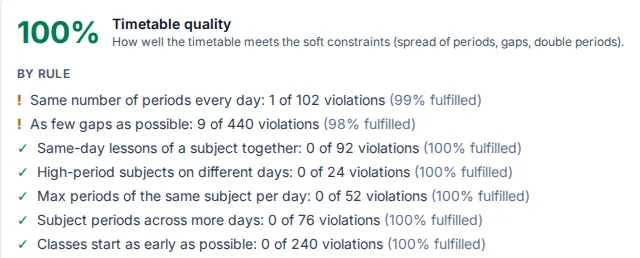
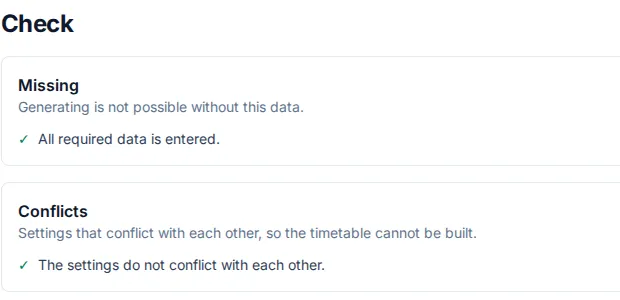
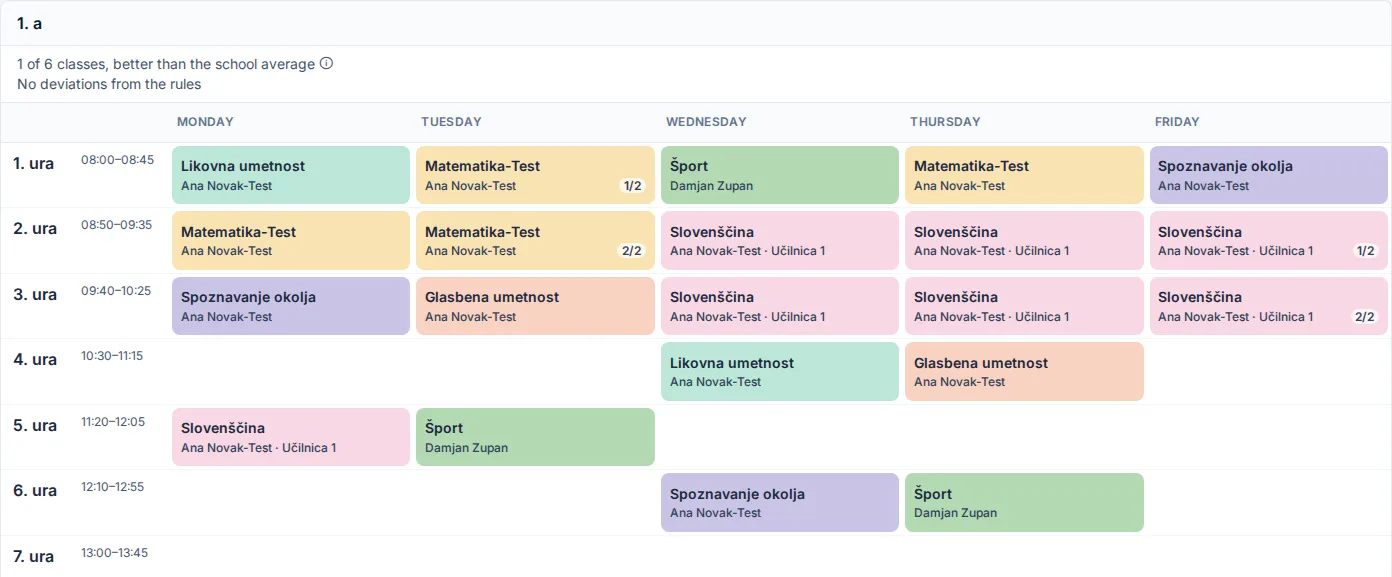
The screenshots are from the app. The school in them is invented.
You enter the data once. When something changes, you run the generator again.
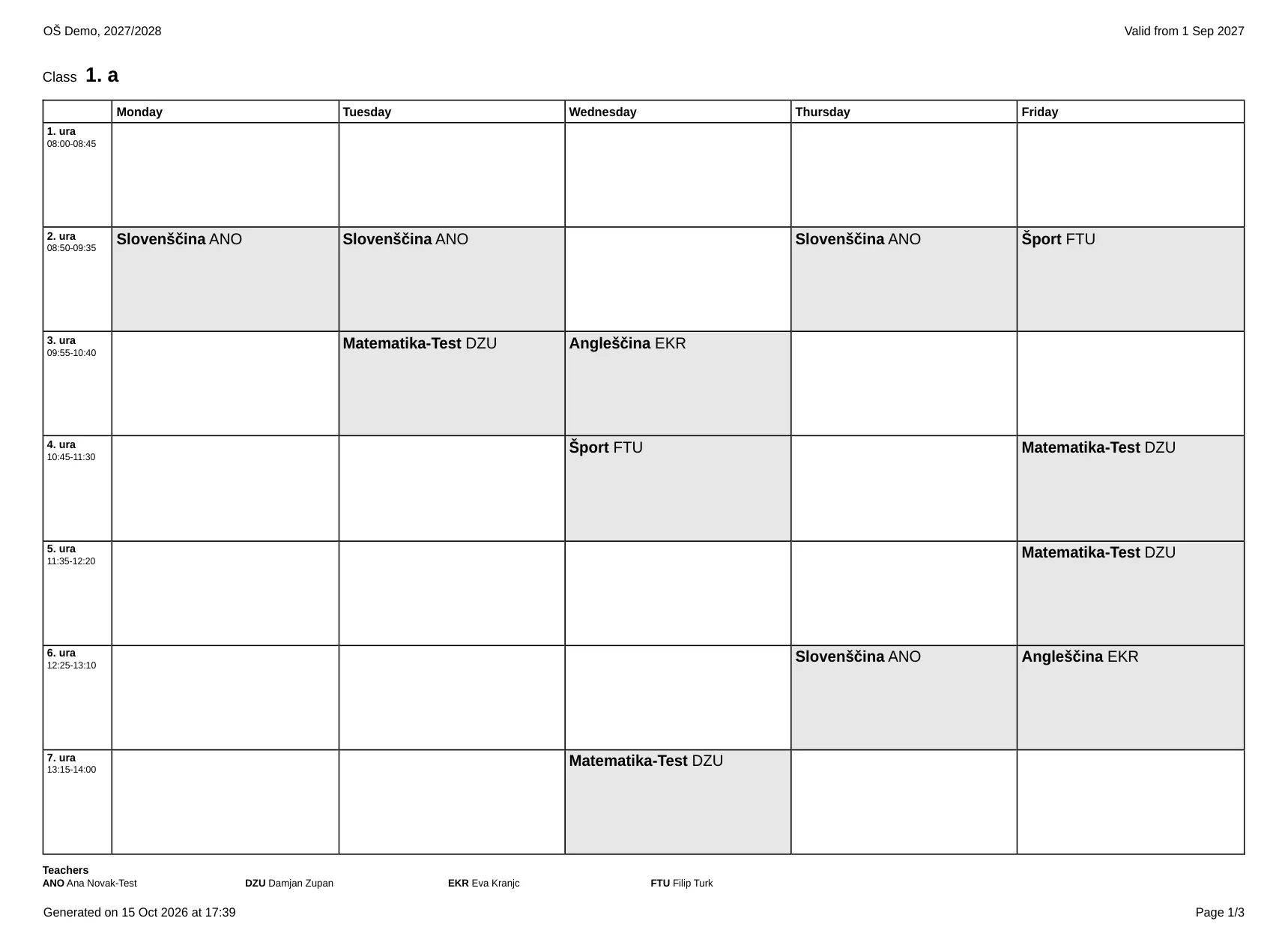
Start with the bell times: when period 1 begins, how long a period lasts, breaks and lunch. Then add classes with their groups and the curriculum, where each subject gets a teacher, a number of periods per week and the rooms it can use. A lesson that several classes share is entered once. For each teacher you mark the periods they cannot teach and the periods they would prefer not to.
Start from the Balanced, Teachers first or Students first preset, then give each rule a level. High counts 2 times as much as medium and 10 times as much as low, so you know which rule the app relaxes first.
Choose how long subtimetable may search: 5, 10, 30 or 60 minutes. While it runs you see which phase the search is in, and you can stop it. If the run fails, the previous timetable stays.
Drag a lesson to another slot. While you drag, the app shows where it can go and which lesson it would swap with. Lock the lessons that are right, and they stay in place when you generate again.
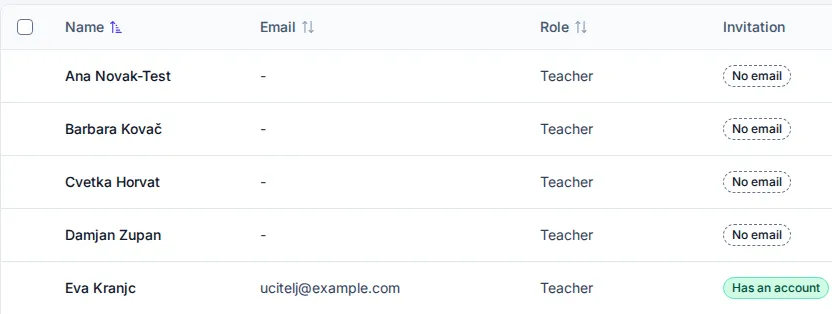
When you publish, you choose the date the timetable applies from. Before that, the app shows which confirmed cover the new timetable cancels and which teachers still have no account.
Each rule has a level of low, medium or high, and some can also be required. subtimetable never breaks a required rule. If it cannot meet one, the timetable has no solution and the app tells you why. Rules with a lower level are met as far as the timetable allows.
For teacher gaps you set a daily and a weekly limit, and a limit on consecutive periods. The limits apply to the whole school, and any teacher can have their own.
You can split a class into groups. Groups from the same division, for example by language, can have lessons at the same time, because they have different students.

There is no date for the import yet. You enter the data once and create the next school year as a copy of this one. Classes move up one year level, and classes in the final year drop out. You can prepare the new year while cover still runs on the current year’s timetable.
If you get stuck entering the data, write to info@subtimetable.com.