 subtimetable
For each timetable rule you choose how much it counts
In the “Availability” step there are the tabs “Teachers”, “Rooms” and “Classes”. Every period is available by default. Choose the state “Prefer not” or “Unavailable” and click or drag over the periods you want to mark. A teacher has no lessons in periods marked “Unavailable”. “Prefer not” is a wish that the generator respects as far as it can.
For a teacher you also set “Min days per week”, “Max days per week” and “Max periods per day”.
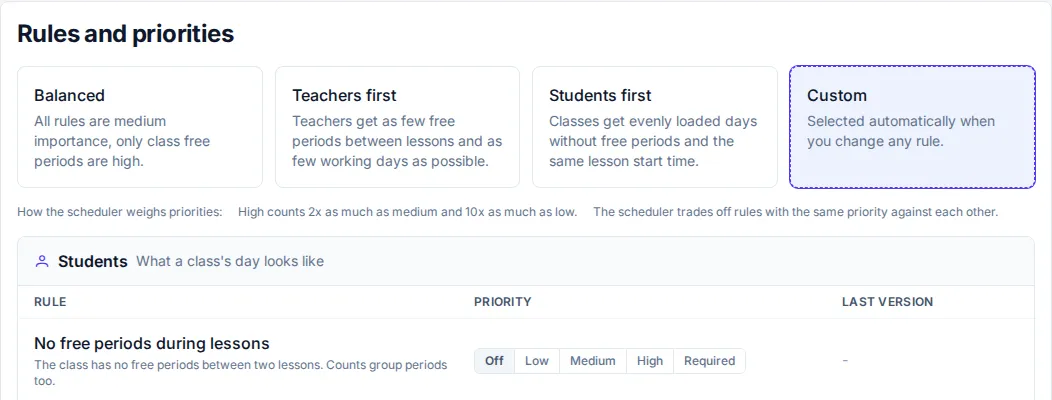
In the “Rules and priorities” step, you first choose a template: “Balanced”, “Teachers first” or “Students first”. You then change the levels that the template sets to your liking.
Each rule has the level “Off”, “Low”, “Medium” or “High”, and some also “Required”. Next to the rule there is a short description of what it counts. The generator never breaks a required rule. When it cannot satisfy one, the run ends with the status “Infeasible”.
For teacher gaps you enter “Max gaps per day”, “Max gaps per week” and “Max consecutive lessons”. The limit applies to all teachers, and an empty field means there is no limit.