SL

Teacher cover, suggested from your school’s published timetable

Cover in subtimetable runs on your school’s published timetable. For each lesson of a teacher who is absent, the app suggests a colleague to cover it, and the substitute gets the period, room and instructions by email. All cover goes into the monthly records, which you can print.

Who is chosen when several colleagues are free

When you enter an absence, or the teacher reports it themselves, the app first looks for a colleague who is free during each of their lessons, so no lesson is left uncovered. Among those who are free, a teacher of the same subject comes first, followed by one the school has listed as compatible for the absent teacher and one who already teaches that class. Next it checks whether the cover would give someone a new gap and how many times each person has already covered this school year. Each suggestion shows the reason, for example “Teaches the same subject”.
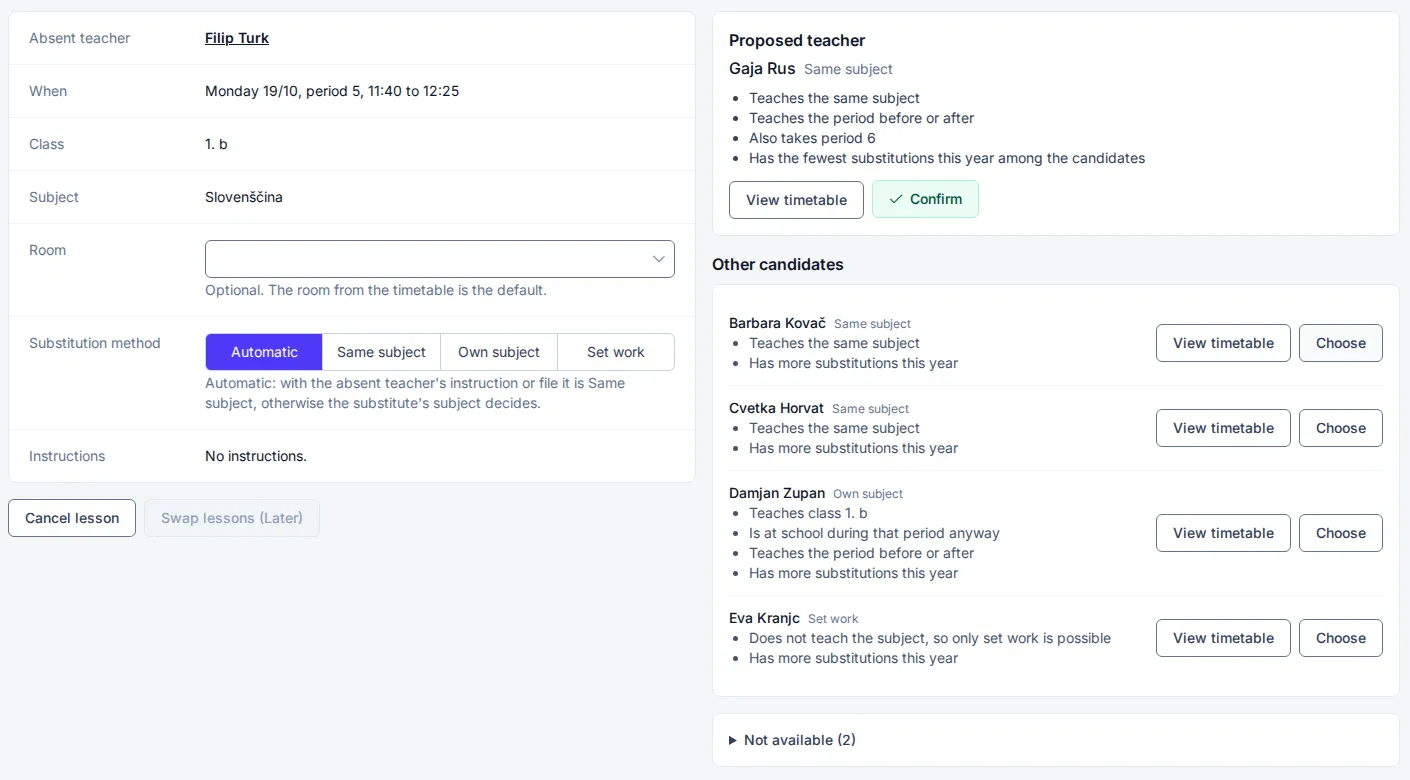
Absent teacher's lesson in the app with the proposed substitute, the reasons for the choice and a list of other candidates

Before you confirm the day, you can handle any lesson another way

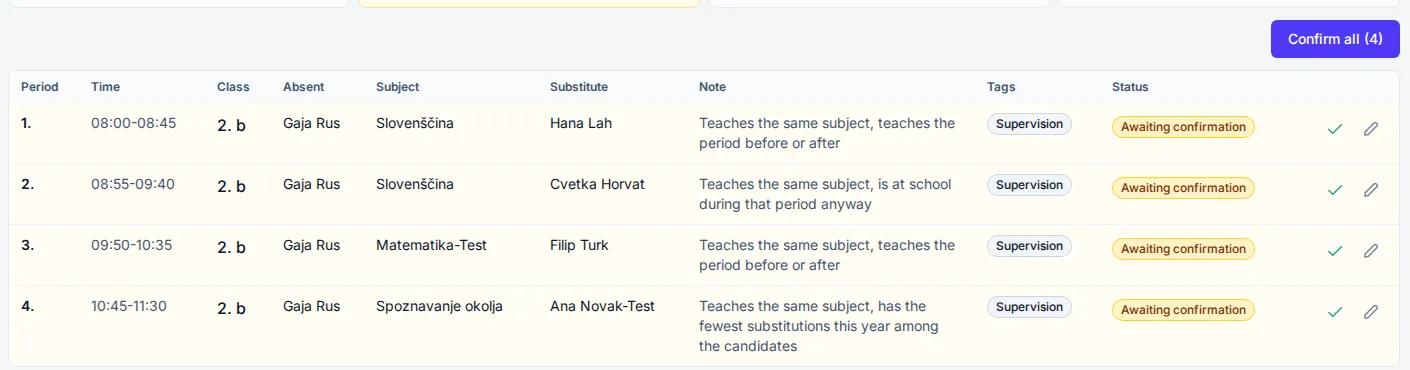
If a suggestion does not suit you, you can choose another candidate for that lesson, cancel the lesson, merge it with another group that has a lesson at the same time, or change the room. In the settings the school chooses whether an assistant head must confirm cover. If so, the app checks once more before you confirm the day that the chosen teacher is still free. If not, the suggestion applies at once. The substitute and the absent teacher get an email when cover is assigned, changed or cancelled, and when the day is confirmed.

Cover for a chosen day with the statuses awaiting confirmation, confirmed and cancelled

The school sets limits that every suggestion respects

In the Substitutions settings you enter “Most substitutions per day” for one teacher. A suggestion goes over this limit only when there is no other candidate. “Most periods before regular classes” sets how many periods early a teacher who starts later that day may be asked to come in. If you switch on “Free period for lunch”, the suggestion leaves the substitute at least 1 free period for lunch. “Double period” means that both consecutive periods of the same subject in a class go to the same substitute.

You can also switch on only some cover methods. With “Same subject” the substitute carries on from the absent teacher’s instructions. With “Own subject” they teach their own subject, and with “Set work” they supervise the class and do not teach new material. You set a merge of groups by hand on the lesson.

Each month you see how much cover every teacher has done

The monthly cover records show how many lessons each teacher covered. Paid hours, which are lessons covered as Same subject or Own subject, are counted separately. The records for one teacher list the date, period, class and method of every cover, and you can print both. A teacher who would like to cover more often ticks “I want more substitutions” in My substitutions and comes first in the suggestion when everything else is equal.

Enter your own school and see the timetable it produces

Soon

info@subtimetable.com